Walk a job,
Six steps, from the first pin to a paid job. Same tablet you already use. Same standard your clients already accept. The mic does the typing.


Drop a teardrop pin
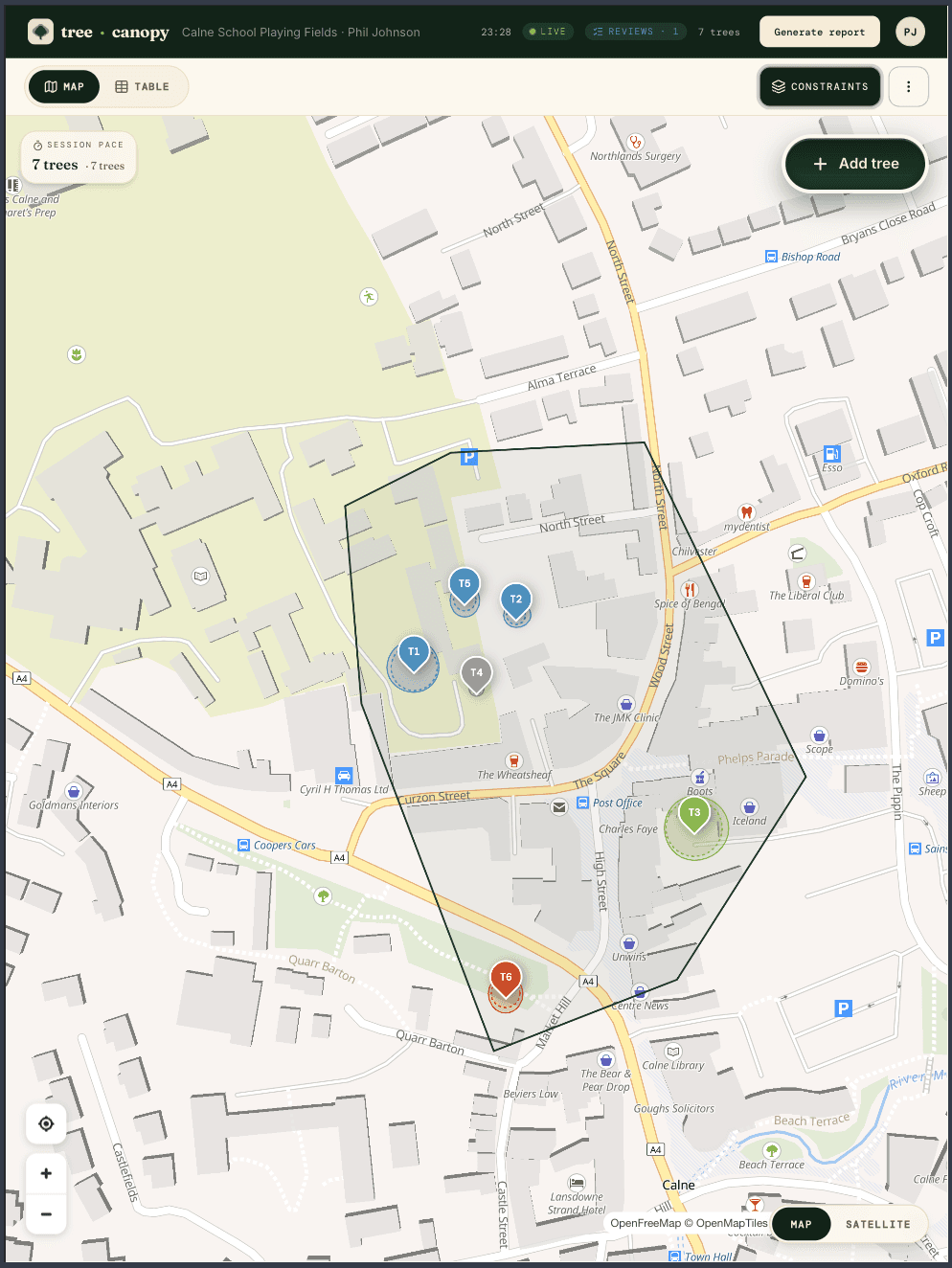
Open the job. Walk the boundary; the polygon shades the area you've covered. Tap the mic, then tap the map where the tree is. The pin colours by retention category — green to keep, blue for moderate, grey for lower value, red to remove.
The map keeps working when the signal drops. Pins, photos, and voice transcripts are saved on the device and sync when you're back online.
One tree, one breath.
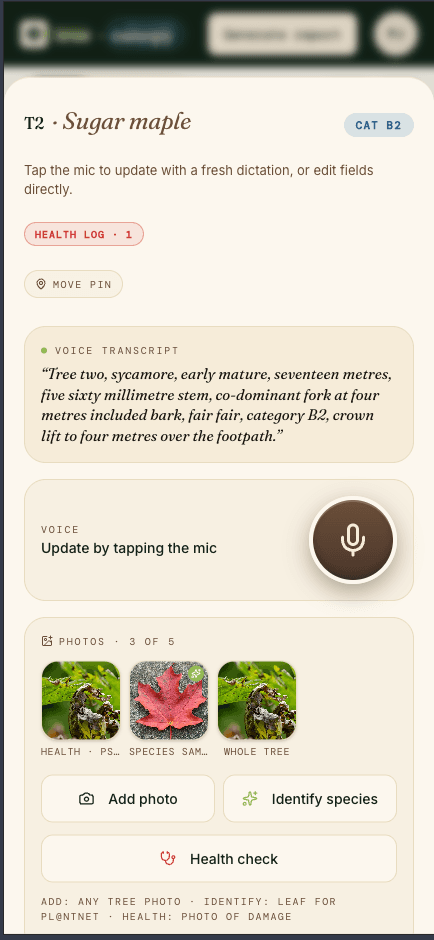
Hold the mic. Speak the inspection — species, stem diameter, height, crown spread, retention category, recommendations. The form fills itself while you talk. The verbatim transcript stays attached to the tree for your audit trail.
Re-dictate any time. Tap the mic again to update or correct. Every change is logged.
- Twelve fields parsed in one breath
- Protection radius recalculates live as you talk
- Verbatim voice transcript saved alongside the parsed values
Species and health,
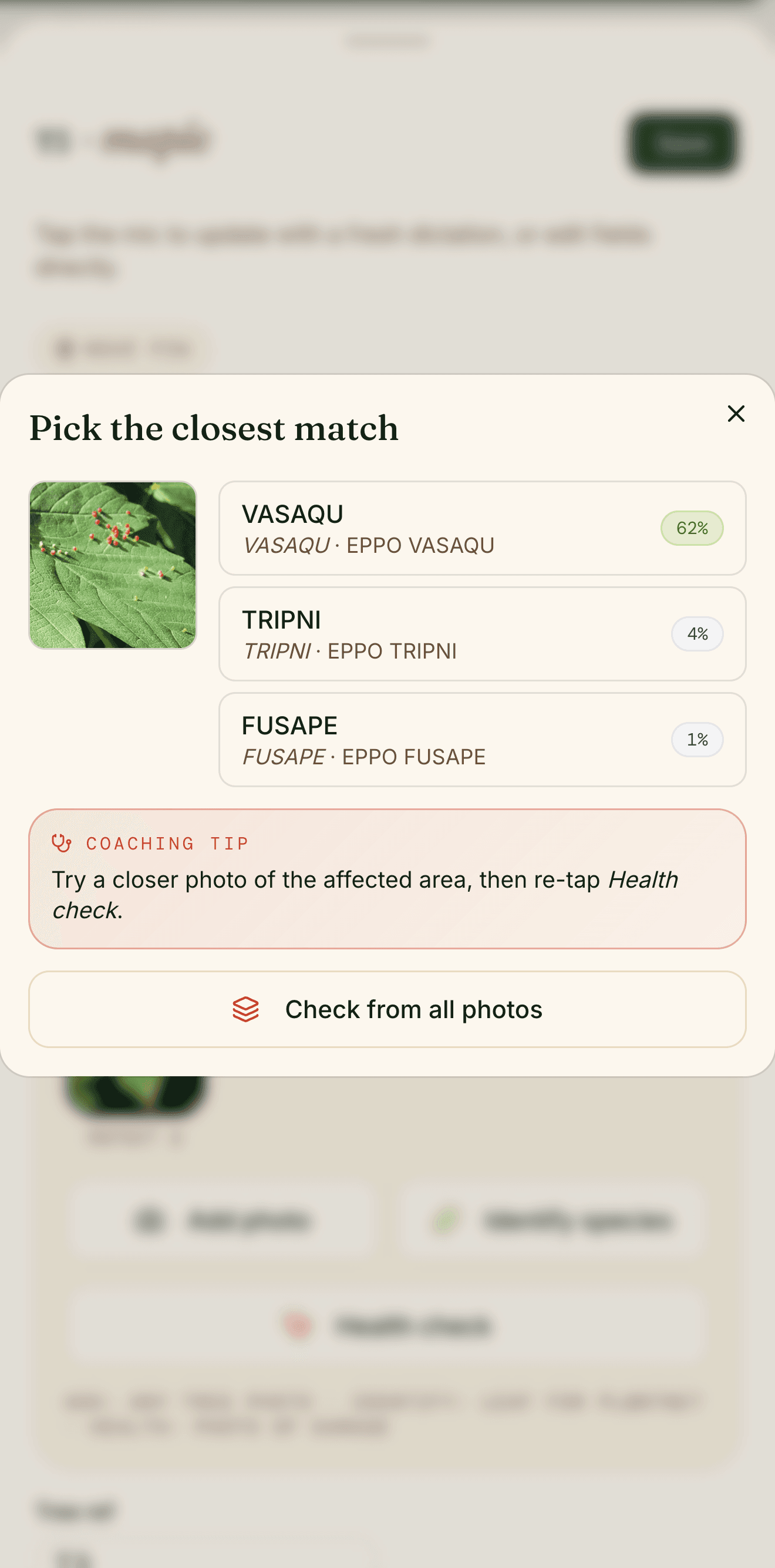
Snap a leaf. We return the top-three species candidates with confidence scores. You confirm — the AI suggests, the surveyor decides. Nothing auto-saves to the survey schedule without you tapping accept.
Spotted damage? Photograph it for a pest or disease suggestion that lands in the report's health notes. Same flow as species, same audit trail, same queued save if the signal is gone.
- Top-three suggestions, ranked by confidence
- Pest and disease ID from a photo of the damage
- Surveyor confirms — no auto-save
- Bark and leaf photos both supported
Protection radius,
The protection radius around each tree recalculates from the stem diameter as you record it. The constraints overlay shows the union of all radii on the map — the area that has to stay clear of root disturbance.
Toggle the layer on for the developer's tree constraints plan figure. Toggle it off when you just want to read the survey.
- Auto-calculated from stem diameter, not entered separately
- Veteran-tree treatment built in
- Constraints plan exports as a submission-ready figure
620 mm
7.4 m
11 m
Moderate
Client-ready PDF,
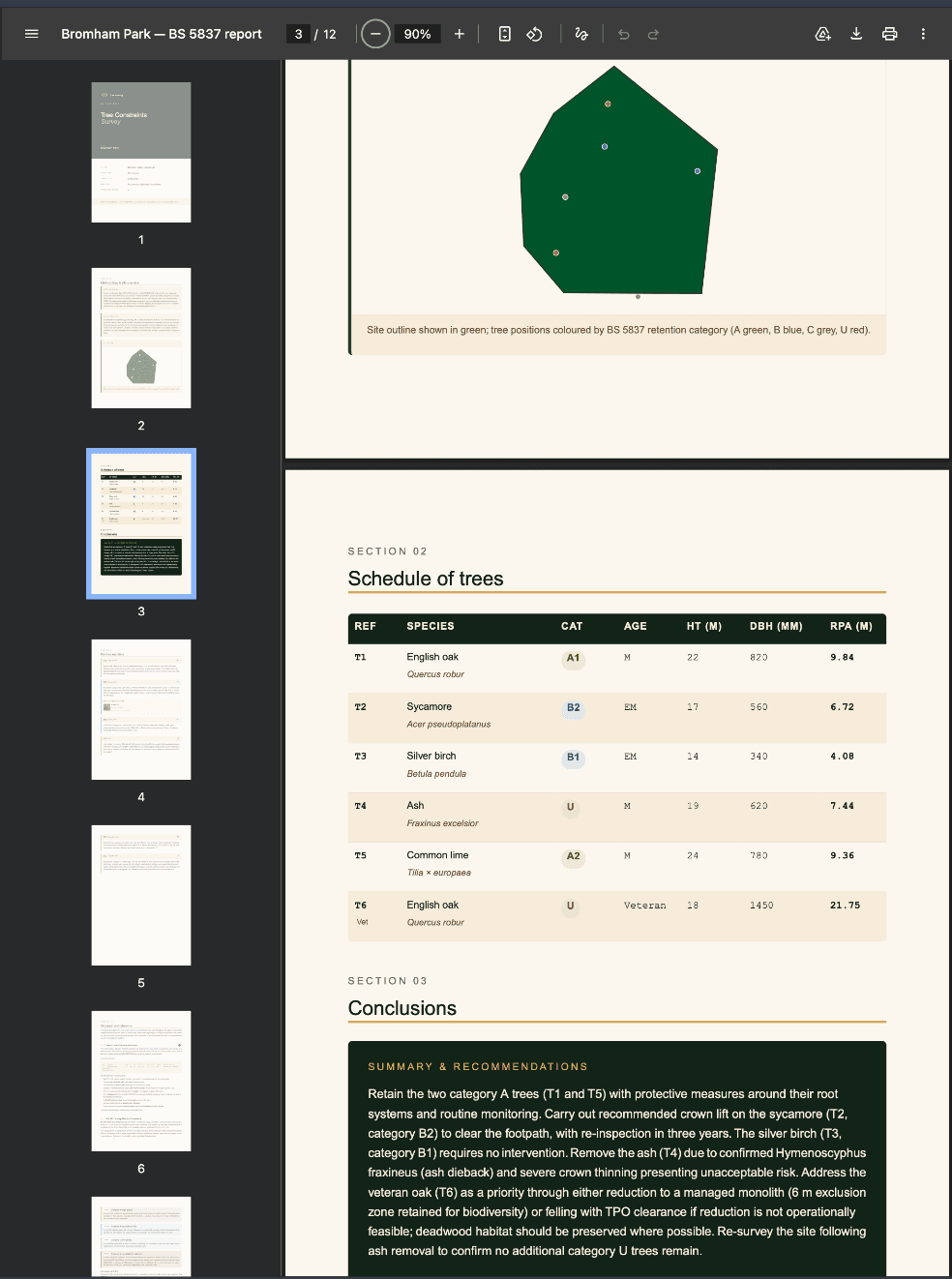
Cover, methodology, schedule of trees, constraints figure, per-tree narrative, conclusions — all drafted from the day's voice transcripts and structured fields. You read it through with a coffee, edit two sentences, sign, and send.
Same standard your clients already accept. Same deliverable shape reviewers expect. The AI drafts; you sign.
- Cover sheet rendered in your house style
- Schedule of trees auto-paginated, ref · species · category · age · height · diameter · protection radius
- Drafted conclusions per tree, edit before you sign
Survey done.
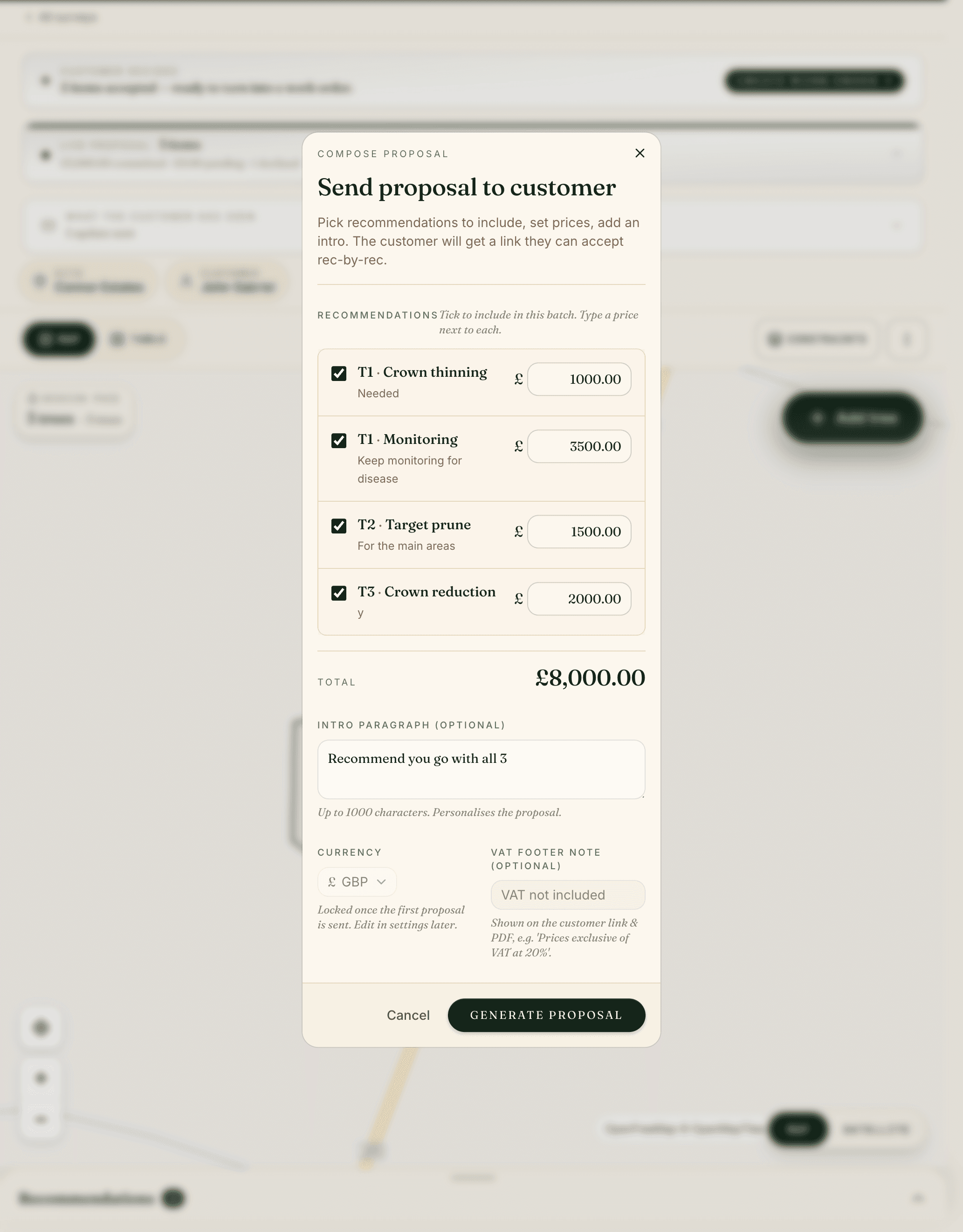
The recommendations you flagged become a priced proposal in a tap — your currency, your tax note. Send the client a link; they accept or decline in the browser, and you can see exactly what they've seen.
An accepted proposal becomes a job for the crew. Dispatch it, log progress by voice, and send a completion report when the work is done. One status keeps the quote and the crew in sync.
- Recommendations price up into a customer proposal
- Public accept / decline link — no chasing email threads
- Accepted work runs as a dispatched job, closed by a completion report
tree·canopy
Your next site should be on this.
14-day free trial. No card. Download and start on Monday.
Or — talk to us about Enterprise → hello@treecanopy.app